

- Hello People! Here is the way to search DRDO tenders
- First, go to chrome browser and Search DRDO Tenders/Procurement.
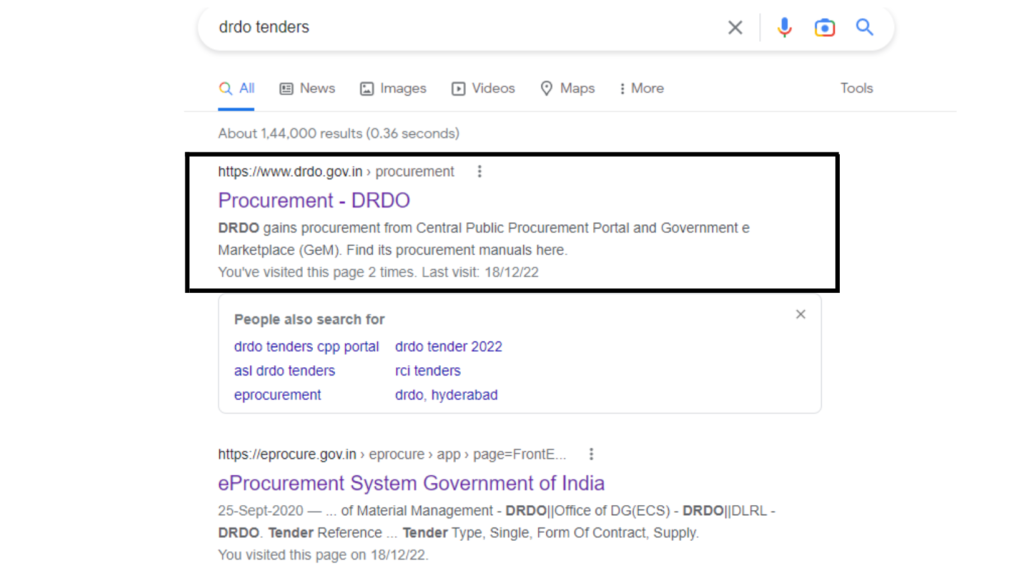
- Now select the first link which is shown as I DRDO tenders.gov.in.
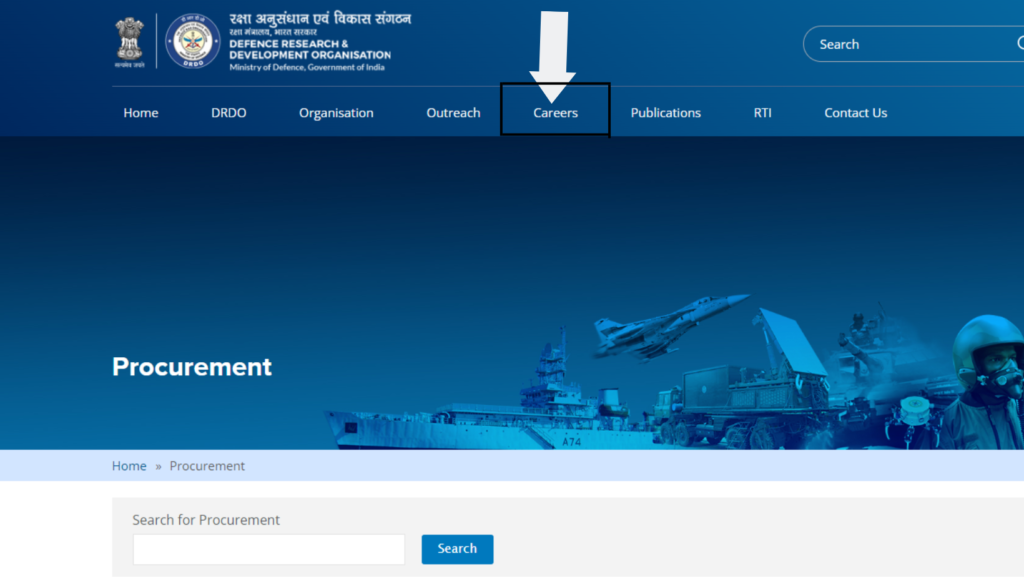
- Now click on the Careers.
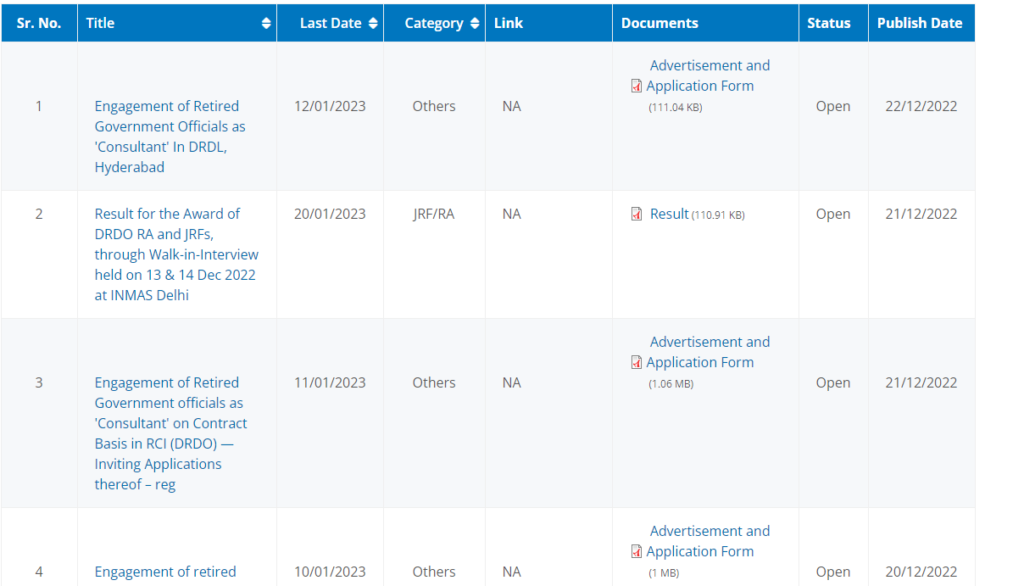
- Now scroll the mouse.
- Here you can see all the active tenders.
- Hope you have understood the procedure. If not,
Don’t worry. You have BidAlert– India’s Finest Tender Information Provider. We provide every single tender information according to you. - To get DRDO tenders, click here now – Latest DRDO Tenders
To get more info about the website, click here now – BidAlert
Thankyou!